Certification tracking software: What it must do and why spreadsheets fail
Certification tracking software automates expiry alerts, audit trails, and compliance evidence. See what it must do and why spreadsheets fail

 Reviewed by Adam Kohut
What is certification tracking software?Copied
Certification tracking software is a digital system that records, monitors, and manages employee certifications, licenses, and training qualifications, including expiry dates, renewal requirements, evidence documents, and compliance status, in real time.
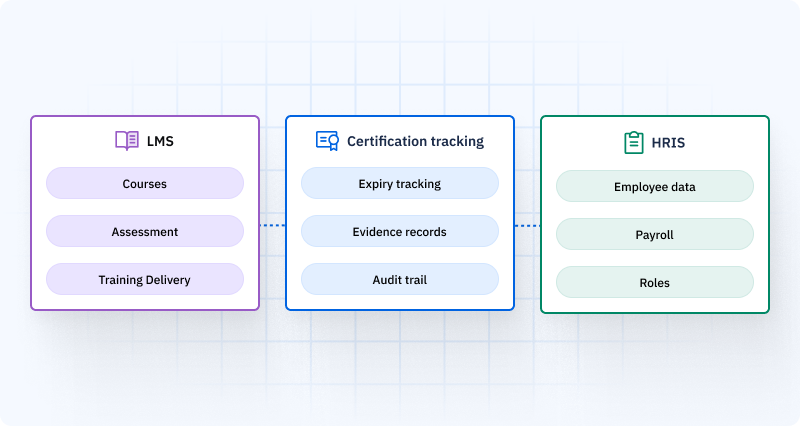
It is not a Learning Management System (LMS). An LMS delivers training content: courses, videos, assessments. Certification tracking software records whether required training has been completed, whether qualifications are current, and whether the evidence to prove it survives an external audit.
It is not a Human Resources Information System (HRIS). An HRIS stores employee demographic and payroll data. Certification tracking software stores operational qualification data, which certifications each role requires, who holds them, when they expire, and who validated each one.
Think of it as the compliance evidence layer that sits between your training delivery system and your HR data, and makes both of them auditable.
Why organizations need certification tracking softwareCopied
Every organization managing employees in roles that require specific qualifications, safety certifications, regulatory licenses, equipment authorizations, or documented training completions, faces the same problem at scale.
The problem is not tracking who has a certification. The problem is tracking 200 employees across 15 required certifications, each with different renewal frequencies, in a system that updates automatically, maintains an immutable audit trail, and generates a compliance report in minutes.
An ISO 9001 auditor arrives unannounced. They ask to see the current qualification records for every operator on your highest-risk production line. In a spreadsheet system, that request triggers a two-hour search across multiple files, several of which haven’t been updated since last quarter. In AG5, it takes 30 seconds.
The cost of the spreadsheet scenario is not just the time. It is the non-conformity citation when the auditor finds three certifications that lapsed two months ago and nobody noticed.
The regulatory requirementCopied
Certification tracking software is not optional in regulated industries. It is the mechanism for meeting compliance obligations across the major standards:
Key standards requiring documented certification records
- ISO 9001 Clause 7.2 — Competence: documented evidence of competence for all roles affecting quality
- ISO 45001 Clause 7.2 — Safety: documented training and qualification evidence for safety-critical roles
- FDA 21 CFR Part 11 — Electronic Records: audit trails and e-signatures for GxP training records
- IATF 16949 Clause 7.2 — Automotive: competence evidence for all roles affecting product quality
- AS9100 Section 7.2 — Aerospace: personnel qualification documentation
- ISO 13485 Clause 6.2 — Medical devices: personnel training records
- OSHA 29 CFR 1910 — US General Industry: training records for forklift (1910.178), LOTO (1910.147), HazCom (1910.1200), respiratory protection (1910.134). See our OSHA training matrix guide for a full breakdown of these requirements.
- GxP regulations — Pre-activity training documentation required before performing regulated activities
In regulated environments, a training matrix is not just a tracking tool. It is the evidence document that proves your workforce was qualified when an incident occurred, when a product was manufactured, when a safety procedure was signed off.
What certification tracking software must doCopied
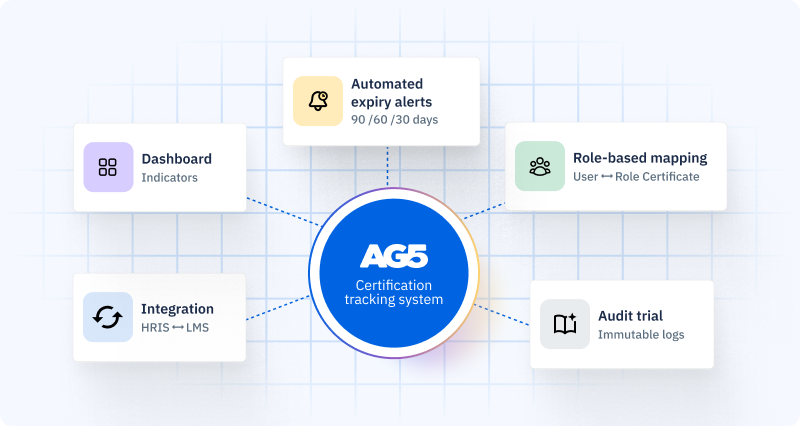
Not all certification tracking tools are built to the same standard. These five capabilities separate platforms that hold up under audit from those that look good on a demo and fail when a regulator arrives.
1. Automated expiry alerts
A certification does not expire at a convenient time. It expires on a Tuesday morning, three months after the last update to your tracking spreadsheet, when the employee is already deployed and the supervisor has no idea.
Certification tracking software must send automated alerts at 90, 60, and 30 days before a certification lapses. Not reminders you set up manually for each employee, but system-level triggers that fire automatically. The alert must reach the employee, their direct manager, and the training coordinator simultaneously.
2. Role-based certification requirements
An employee holds certifications. A role requires certifications. These are different things, and they need to be mapped against each other automatically.
The software must allow you to define which certifications each role requires, then automatically surface the gap between what an employee holds and what their role demands. When an employee changes roles, the system should immediately recalculate their qualification status against the new role’s requirements, without anyone manually updating anything.
3. Evidence capture and immutable audit trail
A certification record without evidence is not a compliance record. It is an assertion.
The software must allow you to attach supporting evidence to every record: a scanned certificate, a signed assessment form, a completed supervisor observation log. That evidence must be stored with a timestamp showing when it was uploaded and by whom.
Every subsequent update to the record must be logged automatically with full attribution. Who changed what, when, what evidence was attached. This audit trail must be immutable: changes create new entries, not silent overwrites. This is what FDA 21 CFR Part 11 requires, and it is what ISO auditors look for.
4. Bidirectional HRIS and LMS integration
When an employee joins the organization, their certification record should appear automatically. When they complete training in the LMS, their record should update automatically. This bidirectionality is what keeps data current.
One-way CSV imports, where you export from the HRIS, format the file, and import it, degrade over time. Six months after your last import, the certification system is managing qualifications for twelve employees who left and missing four who joined.
5. Real-time compliance dashboard
Before deployment, a supervisor needs to know: who on this team is qualified for each task today, whose certifications expire this month, and who cannot legally be assigned to a safety-critical role because their qualification lapsed last week?
The software must deliver that view in real time, not as a monthly compliance report, but as a live dashboard filterable by site, shift, team, and role. Color-coded status indicators (valid, expiring, expired) visible to every supervisor on every device, including mobile, before every shift starts. A well-structured compliance training matrix is essential to making this view actionable.
Employee certification tracking vs. safety training tracking: What’s the difference?Copied
These terms are used interchangeably in the market, but they describe different emphases. Understanding the distinction helps you evaluate whether a platform covers your full requirement.
| Term | Focus | Primary user |
|---|---|---|
| Employee certification tracking | Individual qualification records: which certifications does this employee hold, when do they expire, who issued them | HR teams, compliance officers |
| Safety training tracking | Safety-specific training requirements: OSHA standards, site inductions, dangerous goods, working at height | EHS managers, safety officers |
| Training records software | Documenting training completion: courses attended, assessments passed, SOPs signed off | Training coordinators, L&D teams |
In practice, a platform serving regulated industries needs to do all three. An oil and gas company managing offshore qualifications needs employee certification records (OPITO competency), safety training tracking (H2S awareness, confined space, permit to work), and training records (SOP sign-offs, pre-job briefings). These are not separate systems. They are different views of the same underlying qualification data. AG5’s employee training tracking software unifies all three.
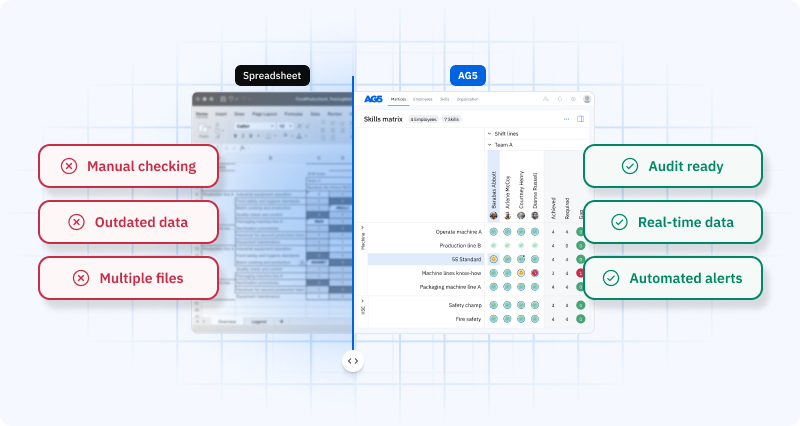
Spreadsheets vs. certification tracking softwareCopied
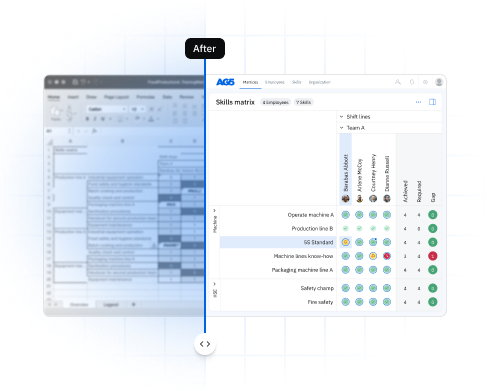
| Capability | Spreadsheet | AG5 |
|---|---|---|
| Expiry alerts | Manual: you check it | Automated: 90/60/30 days |
| Role-to-cert mapping | Manual correlation | Automatic: role requirements built in |
| Evidence attachment | Separate file folder | Attached directly to record |
| Audit trail | None: changes are silent | Immutable: every edit logged |
| Multi-site visibility | Multiple files, manual reconciliation | Single real-time view across all sites |
| HRIS integration | CSV export/import | Bidirectional, automatic |
| LMS integration | Manual entry after completion | Automatic update on completion |
| E-signatures (21 CFR Pt.11) | Not possible | Regulatory-grade digital signatures |
| Audit report generation | 4+ weeks of data retrieval | 20 minutes: generated on demand |
| Starting cost | Free | From $825/month |
When to switch from spreadsheet to software
The trigger points are consistent across industries:
- Your team exceeds 50 to 75 employees with role-specific certification requirements
- You manage certifications with different expiry dates across multiple roles or sites
- A compliance audit, customer review, or regulatory inspection has flagged training record gaps
- Maintaining the certification spreadsheet takes more than one hour per week
- You have had at least one incident where a lapsed certification was discovered after deployment, not before
- You operate under ISO 9001, ISO 45001, IATF 16949, AS9100, FDA 21 CFR Part 11, GxP, or OSHA 29 CFR 1910
At any of these points, the cost of maintaining a manual system, in staff time, error risk, and compliance exposure, exceeds the cost of purpose-built software.
How AG5 manages certification trackingCopied
AG5 is built for operational teams in manufacturing, logistics, aerospace, food and beverage, and safety-critical industries where certification tracking is a compliance obligation.
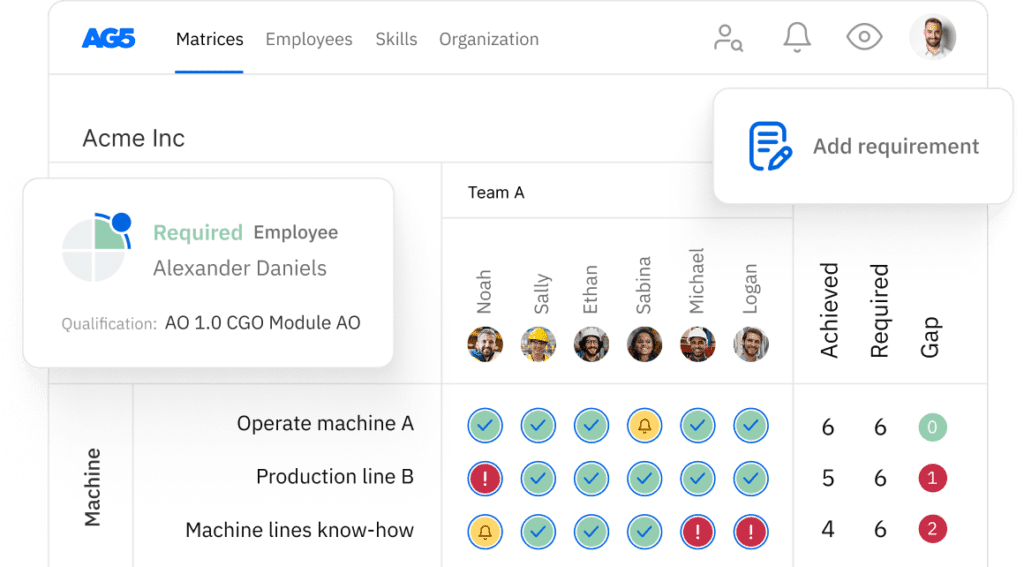
- Real-time qualification matrix — every employee’s certification status visible by role, team, site, and shift. Color-coded: green (valid), amber (expiring within 90 days), red (expired or not held). Learn more about how our training matrix works.
- Automated expiry workflows — 90/60/30-day alerts fired automatically to the employee, line manager, and training coordinator. Escalation workflows for unrenewed certifications.
- Digital signatures — regulatory-grade electronic signatures meeting FDA 21 CFR Part 11 and GxP requirements.
- Immutable audit trail — every record update logged with user, timestamp, and evidence reference. Audit reports generated on demand.
- Bidirectional integration — connects with SAP, Workday, Cornerstone, Moodle. Employee joins: record appears. Training completes: status updates automatically.
- Mobile app in 30+ languages — shift supervisors check qualification status before deployment on any device, in their language.
AG5 customers include Tata Steel, KLM Cargo, JDE Coffee, Adient, Canpack, and Toyota Boshoku. Adient’s Training Coordinator Tim Clansey reported that audit preparation, which previously required weeks of manual data compilation, now takes 20 minutes.
FAQs Copied
-
What is certification tracking software?
-
What is the difference between certification tracking software and training management software?
-
What is the difference between certification tracking and employee training tracking?
-
Does certification tracking software need to integrate with our HRIS?
-
What compliance standards require certification tracking documentation?
-
Can certification tracking software handle multi-site organizations?
-
How long does implementation typically take?
-
What happens when a certification expires in AG5?
Author Copied

Revisions Copied
Written by: Rick van Echtelt
Copy edited by: Adam Kohut