How much does skills management software cost?
See what skills management software typically costs, what drives AG5 pricing, and how to estimate your budget – plus how it compares to spreadsheets. Discover transparent pricing for AG5’s four tiers, understand the key factors that influence cost, and learn how manufacturers save an average of $20,000 annually per factory.

 Reviewed by Adam Kohut

If you’re evaluating skills management software for your plant or operation, you probably want a straight answer about skills management software cost. The reality is that pricing depends on your company size, the complexity of your skills structure, and which features you need. But that doesn’t mean you can’t get a clear picture of what to expect.
In this guide, we’ll walk you through typical skills management software cost models in the market, explain how AG5’s pricing works, and show you the key factors that influence cost. More importantly, we’ll help you understand the ROI so you can make a confident case to leadership, especially if they’re skeptical about moving away from Excel.
If you’d rather talk numbers for your specific setup, book a demo and we’ll walk you through a tailored quote.
Typical skills management software pricing modelsCopied
Before diving into AG5 specifically, it helps to understand how most vendors in this category structure their pricing.
Most skills matrix software providers use one or more of these approaches:
Per-user or per-employee pricing – Many platforms charge based on the number of employees you’re tracking, typically ranging from €3 to €10 per user per month. This model scales linearly with your workforce size.
Plan tiers – Vendors often offer multiple editions (like Team, Business, Professional, and Enterprise) with different feature sets and usage limits. According to Gartner’s research on SaaS pricing models, tiered pricing is the most common approach for B2B software. Lower tiers might cap the number of employees, skill records, or matrices you can create, while higher tiers unlock integrations, API access, and advanced features.
Implementation and onboarding fees – For complex rollouts across multiple sites or departments, some vendors charge one-time setup fees to help with configuration, data migration, and training.
The reality is that most vendors (including AG5) combine a base platform fee with variables like employee count, number of sites, and integration requirements. This hybrid approach lets you start small and scale as your needs grow.
How AG5’s skills management software pricing worksCopied
AG5 takes a straightforward approach to pricing, but the final number is always tailored to your specific situation. Here’s how to think about it.
Understanding skills management software cost tiers
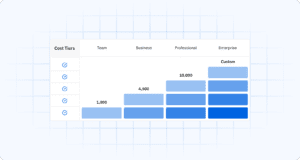
AG5 offers several editions designed to scale with your organization:
- Team – Suitable for smaller operations, typically starting around €99/month for up to 100 employees and 1,000 skill records
- Business – Built for growing companies, around €399/month with unlimited employees and up to 4,500 skill records
- Professional – For more complex environments at approximately €699/month, including unlimited employees, 10,000 skill records, API access, and support for two languages
- Enterprise – Custom configurations for large, multi-site organizations with advanced security, integration, and governance requirements
These tiers scale based on three main dimensions: the number of employees you’re tracking, the number of skills results or records you need to manage, and your access to advanced features like API integrations, multiple languages, and specialized modules.
Public listings in 2025 show AG5 plans starting around €99/month for smaller teams and scaling up for larger or more complex environments. Exact pricing depends on your configuration, and final quotes are always tailored to your specific needs.
Contract length and payment terms
AG5 operates on annual contracts with the flexibility of monthly payment options. This gives you the predictability of yearly planning without large upfront costs.
If your needs change during the year, you can upgrade or downgrade your plan. Upgrades are prorated so you only pay for the additional time and features you use. Downgrades are credited toward your next billing term.
Trials and pilots
AG5 typically offers trial periods or pilot programs so you can evaluate the platform’s fit for your operation before committing to a full year. This is especially valuable if you’re coming from Excel or another manual system and want to prove the value internally before rolling out company-wide.
The fastest way to get an accurate number is to talk to sales, but here’s how to think about cost and ROI based on what drives pricing up or down.
Key factors that influence the cost of skills management softwareCopied
Understanding what drives pricing helps you estimate your budget and compare options. Here are the main factors that influence what you’ll pay for skills management software like AG5.
1. Number of employees and sites
The more employees you need to track and the more sites you operate, the more data you’re managing. This means more skills matrices, more admin seats, and more complexity overall.
For AG5, this is the primary dimension that determines whether you need the Team, Business, Professional, or Enterprise tier. A single-site operation with 75 employees has very different needs than a multi-plant manufacturer tracking 5,000 workers across eight locations.
2. Complexity of your skills structure
Not all skills matrices are created equal. If you’re in a highly regulated industry like pharmaceuticals, food and beverage, or energy, you likely need:
- Detailed certification tracking with expiration alerts
- Multiple skills matrices for different departments or roles
- Support for multiple languages if you have international sites
- Advanced reporting for audits and compliance
This level of sophistication typically requires higher-tier plans with more configuration options and larger data capacity.
3. Integrations and API usage
If you want AG5 to sync with your existing HR information system (HRIS), learning management system (LMS), or payroll platform, like SAP, UKG, or other enterprise systems, you’ll need API access. This capability usually sits in the Professional or Enterprise tiers because it requires technical setup and ongoing data synchronization.
Integration is often worth the investment. When your skills data automatically updates from your training system or feeds into your workforce planning tools, you eliminate manual data entry and reduce errors.
4. Onboarding, training, and change management
Some organizations can get up and running with minimal support. Others want AG5 to:
- Run workshops with key stakeholders
- Configure skills matrices and competency frameworks
- Migrate data from multiple legacy spreadsheets
- Train your team on best practices
This level of hands-on implementation support can affect your one-time setup cost, though it often pays for itself in faster adoption and fewer mistakes during the transition.
5. Support, governance, and security
Enterprise customers often have additional requirements around security reviews, data residency, dedicated customer success managers, and formal service-level agreements (SLAs). These governance needs can influence pricing, particularly for large manufacturers or heavily regulated industries.
What do you get for the price? Understanding skills management software cost vs valueCopied
Price is only half the equation when evaluating skills management software cost. Let’s talk about what you’re actually getting for your investment.
Based on customer data, AG5 users report significant time and cost savings:
- 8 days per month saved compared to managing skills in Excel
- $20,000 in annual savings per factory through reduced admin overhead and improved efficiency
- 37% time savings every week on administrative tasks and reporting
Here’s where that value comes from:
Audit readiness and reduced compliance risk – When auditors arrive, you can instantly pull up-to-date skills matrices, certification records, and training histories. No scrambling through spreadsheets or worrying about outdated information. This reduces the risk of findings and the stress of audit season.
Fewer production stoppages – When you have real-time visibility into who has which certifications and skills, you can prevent situations where critical work stops because the only qualified operator is on vacation or left the company.
Faster training-gap closure – AG5 makes it easy to identify skills gaps at the individual, team, or facility level. This means you can prioritize training investments and get people qualified faster, improving workforce agility.
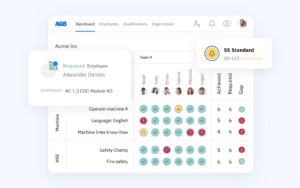
Better decision-making – Clear, visual skills matrices help supervisors make smarter staffing decisions, plan for succession, and allocate resources more effectively.
Consider this simple ROI calculation: If your plant saves even one day of planner time per week or avoids one compliance incident per year, the platform can pay for itself. For most operations, the savings far exceed that baseline. MIT’s research on digital transformation ROI shows that successful implementations typically deliver 3-5x returns within the first year.
Want to understand how other organizations evaluate skills management tools? Check out our guide to the best skills matrix software to see how AG5 compares.
AG5 vs Excel and “free” optionsCopied
Let’s address the elephant in the room. If you’re currently managing skills in Excel or Google Sheets, you might be thinking: “We’re not paying anything now, why should we pay for software?”
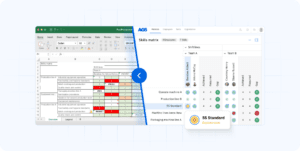
The truth is, spreadsheets aren’t free. They come with hidden costs that add up quickly.
Excel and Google Sheets
Apparent advantages:
- No software license fees
- Familiar interface most people know
- Flexibility to structure data however you want
Hidden costs:
- Time spent maintaining matrices – Someone (usually multiple people) spends hours updating cells, checking for errors, and merging versions from different sites
- Version control issues – Multiple people working in different copies leads to conflicting data and confusion about which spreadsheet is the “real” one
- Errors and data quality problems – Copy-paste mistakes, overwritten formulas, and outdated information create risk
- Audit challenges – Demonstrating compliance is painful when your records are scattered across dozens of files
- No real-time visibility – By the time you consolidate spreadsheets from multiple supervisors, the data is already outdated
AG5
What you gain:
- Purpose-built for skills and training matrices – The structure is designed specifically for tracking competencies, certifications, and training requirements
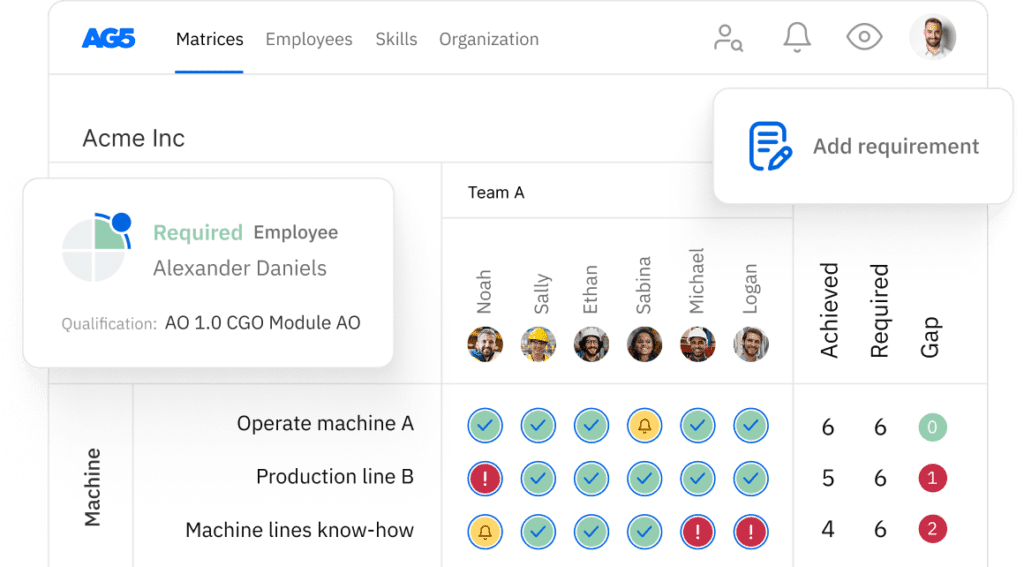
- Visual, easy-to-understand matrices – Color-coded grids make it instantly clear who’s qualified for what, who needs training, and what’s expiring soon
- “Unbreakable” data structure – Users can’t accidentally delete formulas or overwrite critical information
- Multi-user access with proper permissions – Different people can update their areas simultaneously without creating conflicting versions
- Real-time updates – When someone completes training or renews a certification, the matrix updates immediately
- Skills App for on-the-floor updates – Operators and supervisors can update skills data from mobile devices without needing to open a laptop
| Factor | Excel / Google Sheets | AG5 |
|---|---|---|
| Upfront cost | None (software already owned) | Monthly subscription fee |
| Time to manage | 5-15+ hours per week across the team | 1-2 hours per week after setup |
| Audit readiness | Manual export and cleanup required | Instant reports and audit trails |
| Risk of errors | High (human error in manual updates) | Low (structured data entry and validation) |
| Scalability | Breaks down as you grow | Scales to thousands of employees |
| Real-time visibility | No (data is always slightly stale) | Yes (live data across all sites) |
The question isn’t whether AG5 costs money. It’s whether the time you’re currently wasting and the risks you’re carrying are worth more than the subscription fee. For most manufacturing and frontline operations, the answer is clear.
How to budget for skills management softwareCopied
If you need to build a business case for your leadership team, here’s how to approach the skills management software cost conversation and budgeting process.
Start with your key numbers
Gather these basics:
- Number of employees you need to track (current and projected)
- Number of sites or locations you operate
- Current costs related to skills management, think about time spent on Excel, audit prep, and training coordination
- Cost of problems like compliance findings, production delays due to missing skills, or turnover because of poor training visibility
Get a ballpark from AG5
Schedule a demo call and come prepared with your employee count, site information, and any specific requirements (like integrations or multi-language support). AG5 can give you a tailored price range in one short conversation.
Compare to the cost of doing nothing
Frame your business case around what you’re already spending:
- What would it mean to avoid one audit finding? Many compliance violations cost thousands or tens of thousands in remediation and potential fines.
- What’s the value of preventing one day of production disruption because you couldn’t find a qualified operator?
- How much time are your planners, supervisors, and HR team currently spending maintaining spreadsheets? At an hourly rate, those hours add up fast.
AG5 can often demonstrate savings using anonymized customer cases from your industry, which helps make the ROI more concrete for skeptical stakeholders.
Plan for scale
Even if you’re starting with one site or department as a pilot, think about your long-term needs. AG5’s pricing structure lets you start small and scale up, so you’re not locked into a tier that’s too large or too small.
Ready to see what AG5 would cost for your operation?Copied
Understanding pricing is important, but the real question is whether skills management software delivers value for your specific situation. The best way to find out is to see the platform in action.
If you tell us how many employees and sites you want to cover, we can give you a tailored price range in one short call.
Book a demo and we’ll walk you through:
- A live look at AG5’s skills matrices and how they work
- A discussion of your specific needs and pain points
- A customized quote based on your configuration
- ROI examples from similar organizations in your industry
Whether you’re managing skills for 50 employees or 5,000, we’ll help you understand exactly what it would take to move from spreadsheets to a purpose-built solution.
FAQs Copied
-
Is AG5 priced per user or per employee?
-
What's the minimum contract term?
-
Is there a setup or implementation fee?
-
Is there a free trial or pilot?
-
How do integrations affect pricing?
-
Can I start small on one site and scale later?
-
What happens if I need to upgrade or downgrade?
Author Copied

Revisions Copied
Written by: Rick van Echtelt
Copy edited by: Adam Kohut