What is a skills inventory? How to build one that reflects reality
A skills inventory is only useful if it reflects reality, and most don’t. This guide covers what a workforce skills inventory actually includes, how to build one in five steps, and the three data quality rules that separate a reliable capability record from a survey that gets filed and forgotten.

 Reviewed by Adam Kohut
The term gets used in two distinct ways. As a result, knowing which one applies decides what you actually need to build.
First, a personal skills inventory is used by individuals to list their own abilities, whether for career planning, job applications, or growth at work. By contrast, an organizational skills inventory is used by HR, L&D, and operations teams to map the shared capability of a workforce. In short, it supports workforce planning, talent decisions, skills gap analysis, and compliance.
This article focuses on the organizational version: in other words, how to build the kind of workforce capability database that actually shapes business decisions, rather than a survey that gathers opinions and files them away in an HR system.
Skills inventory vs. skills matrix vs. skills gap analysisCopied
These three terms are linked, but they serve different purposes. As a result, mixing them up leads to building the wrong tool for the job.
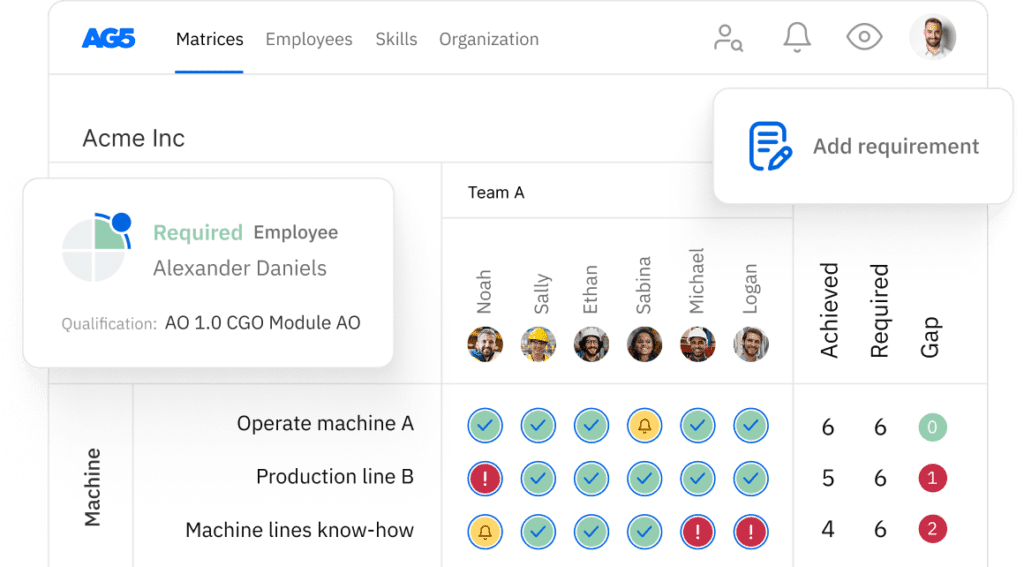
To begin with, an organizational skills inventory is the underlying data layer. Next, a skills matrix is how you display it. Finally, a skills gap analysis is what you do with it. In practice, you need all three, in that order.
What an organizational skills inventory includesCopied
A complete workforce skills inventory holds six data fields per record. If any are missing, the inventory cannot answer the questions you need it to answer.
1. Employee and role details
Name, role title, department, location, and line manager. Because the inventory maps skills to people and people to roles, the role detail is just as important as the skill detail.
2. Skills and competencies: From a shared list
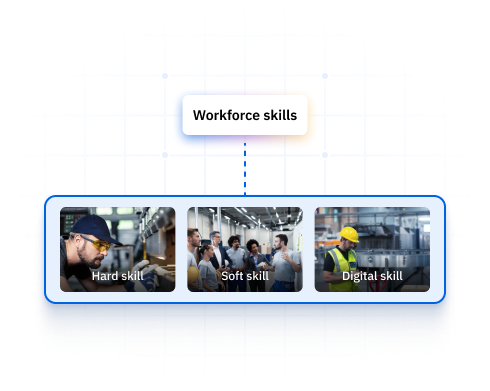
A standard list of skills required for each role, drawn from a shared organizational taxonomy. Without standard naming, “machine operation” and “equipment operation” and “CNC operating” get treated as different skills when they may be the same one. As a result, the inventory cannot be searched reliably.
3. Proficiency levels: Defined, not subjective
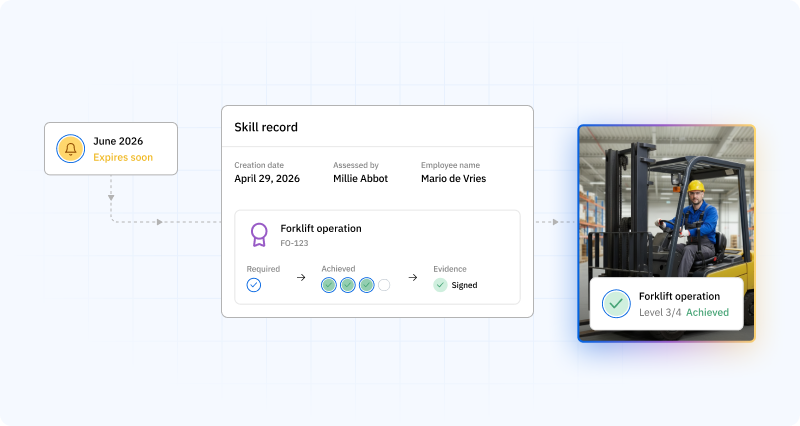
For each skill, a checked proficiency level using a defined scale, typically 1 (awareness) through 4 (expert/can train others). Crucially, the scale must spell out what each level means in clear, observable terms. For example, a “Level 3” that one manager reads as “competent” and another reads as “advanced” produces data you cannot trust.
4. Evidence and validation
What proof backs the proficiency rating? For technical and compliance-critical skills: a certificate, a checked observation record, or a signed SOP completion. For competency-based skills: a supervisor’s structured observation. Furthermore, for regulated roles, evidence is not optional. In short, it is the difference between a documented qualification and an undocumented opinion.
5. Assessment date and assessor
When was this proficiency level checked, and by whom? Without a date, the inventory has no way of knowing whether its data is current. Likewise, without an assessor name, no one is on the hook for the quality of the rating.
6. Certification expiry date
Where it applies, the date on which a qualification lapses and must be renewed. Notably, this is the field that turns a skills inventory from a static record into a working tool. When linked to automated alerts, it ensures expiring qualifications are caught before they turn into compliance failures.
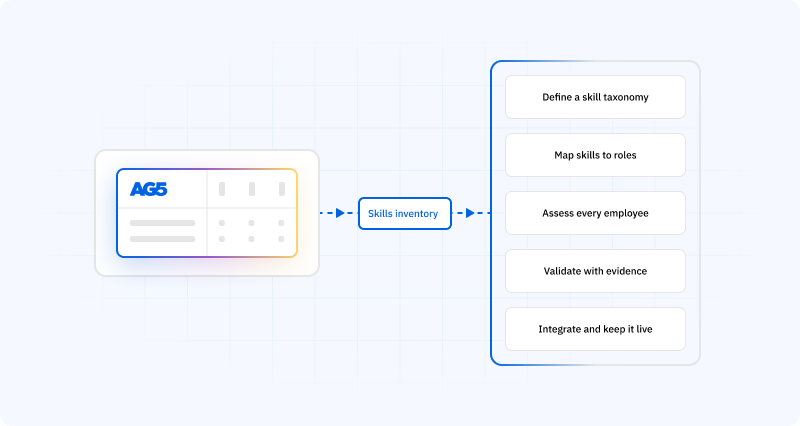
How to build a workforce skills inventory in 5 stepsCopied
Building a workforce skills inventory that holds up under real pressure takes more than a spreadsheet and a survey. Therefore, follow these five steps to get data you can act on.
Step 1: Define your skills taxonomy
Before you collect a single data point, agree on a shared list of skill names. This is the most important step, and the one most teams skip. Without a standard taxonomy, you will end up with “forklift operation,” “FLT driving,” and “reach truck” as three separate entries when they describe the same underlying skill.
To start, focus on roles, not people. For each role, list the skills and abilities needed to do the job to the required standard. Then, group them by category: technical skills, safety needs, regulatory certifications, and behavioral abilities. Above all, use the same naming across every department and site.
Step 2: Map required skills to each role
For each role in the company, define the full skill profile: which skills are needed, at what proficiency level, and which carry a certification or rule-based requirement. As a result, this role-skill matrix becomes the baseline against which every employee record is checked.
Be clear about proficiency expectations. To be specific, “competent” is not a proficiency level. Instead, define what level 1 through 4 means in clear, observable terms for each skill type, so every assessor uses the same standard.
Step 3: Assess current employee proficiency levels
Run structured assessments for each employee against the role’s skill profile. In general, manager-led assessments produce more accurate data than employee self-assessments. The assessor must have the know-how to judge performance against the defined criteria, not just confirm what the employee says about themselves.
To make this easier, use skill assessment software to standardize the process, capture results digitally, and attach supporting evidence directly to each record. By contrast, paper-based or email-based sign-offs cause version control failures and create gaps in the audit trail.
Step 4: Validate and attach evidence to every record
A proficiency rating without supporting proof is an opinion, not a record. Therefore, for each checked skill, attach the evidence that backs the rating: a scanned certificate, a finished observation checklist, a signed SOP confirmation, or a digital sign-off from a qualified assessor.
For regulated and safety-critical settings, this step is non-negotiable. Under audit, the question is not “what level does the system show?” but “what evidence backs that level?” In other words, the evidence is what makes the record defensible.
Step 5: Integrate with your systems and keep updates ongoing
A skills inventory becomes outdated the moment it stops matching reality. For instance, static, once-a-year surveys produce a snapshot that is already old by the time you read it. Instead, the inventory must update on an ongoing basis, triggered by real events: training completions, certification renewals, role changes, and onboarding of new kit or processes.
To make this work, link the inventory to your LMS and HRIS so that finished training updates the right skill record on its own. Next, set automated expiry alerts for time-limited certifications. In addition, assign a data owner in each department who is responsible for the accuracy of records in their area. Ultimately, the system works when no one has to remember to update it.
The data quality problem: Why most skills inventories failCopied
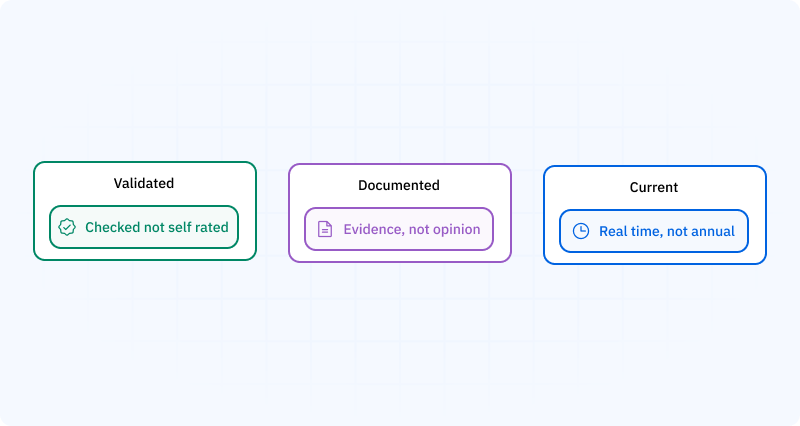
Three things produce a reliable skills inventory:
- Validated data, not self-reported. In general, manager checks against defined criteria produce more accurate proficiency ratings than employee self-assessments. As a rule, the assessor should be someone with the know-how to judge performance against set standards, not someone reporting their own ability.
- Evidence attached to records. A proficiency rating without proof is an opinion. Therefore, for compliance-critical and safety-critical skills, the evidence is what makes the record defensible under audit.
- Ongoing updates, not annual surveys. A skills inventory updated once a year reflects the workforce as it was, not as it is. By contrast, real-time updates, set off by training completions, role changes, and certification renewals, keep data current all year round.
Skills inventory vs. skills assessment: What’s the difference?Copied
Skills assessment and skills inventory are linked but not the same.
To start with, a skills assessment is the process of judging an employee’s abilities against set criteria: in other words, the activity of measuring proficiency. As a result, it produces a snapshot of someone’s current skill level.
By contrast, a skills inventory is the structured database that stores the results of skills assessments over time: that is, the record of what has been checked, at what level, with what evidence, and when.
Furthermore, a technical skills assessment is a specific type focused on role-specific technical abilities, typically used in regulated or precision industries. Its purpose is to confirm that employees can do technical tasks to a required standard before being signed off to do so on their own.
Meanwhile, an employee skills assessment covers the full skill profile for a role, including technical skills, safety needs, behavioral abilities, and certification status. In short, it is the input that updates the skills inventory.
How AG5 keeps a skills inventory currentCopied
AG5 is built around the idea that a skills inventory is only useful if it matches reality, and reality keeps changing.
- Real-time LMS integration: when an employee finishes training, their skills record updates on its own. As a result, no manual logging is needed.
- Automated certification expiry management: alerts fire at 90, 60, and 30 days before lapse, sent to the employee, their manager, and the training coordinator.
- Manager validation workflow: skill sign-offs are captured digitally, attached to the record, and time-stamped. As a result, the inventory knows not just the level, but who set it and when.
- Immutable audit trail: every update to every record is logged. In other words, who changed what, when, and what evidence was attached. The full qualification history is on hand at any time.
- Gap analytics dashboard: a real-time view of where the workforce sits below required skill levels, broken down by role, team, site, and skill type.
FAQs Copied
-
What is a skills inventory?
-
What is the difference between a skills inventory and a skills matrix?
-
What is the difference between a skills inventory and a skills assessment?
-
What should a workforce skills inventory include?
-
How often should a skills inventory be updated?
-
Can a skills inventory be built in Excel?
-
How do you ensure skills inventory data is accurate?
-
What is a technical skills assessment?
Author Copied

Revisions Copied
Written by: Rick van Echtelt
Copy edited by: Adam Kohut