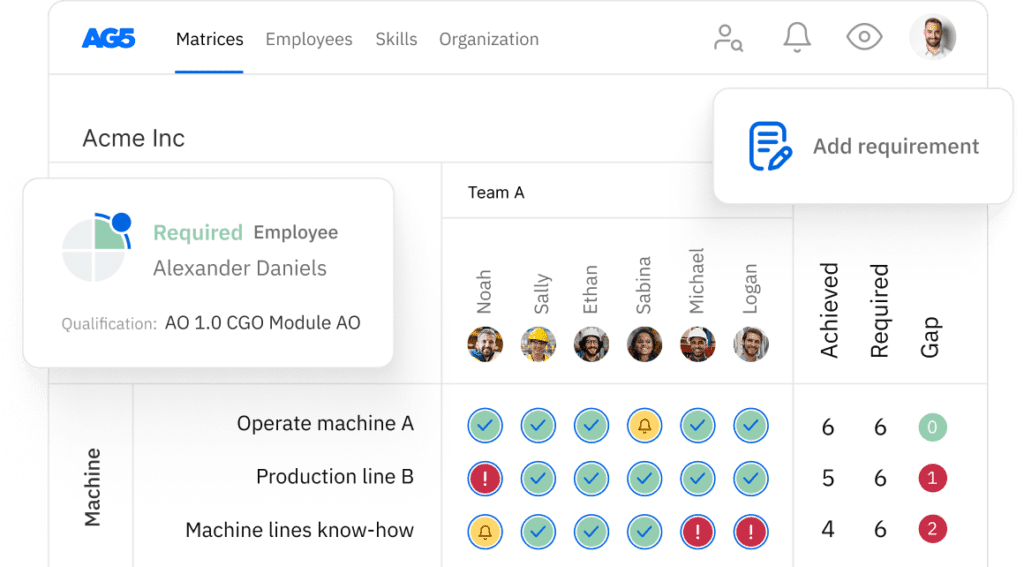
Best workforce planning tools in 2026: Ranked by use case, not features
Compare the 10 best workforce planning tools in 2026 ranked by use case. Covers strategic, operational, analytics, and skills intelligence platforms.

 Reviewed by Adam Kohut
What is workforce planning?Copied
Workforce planning is the process of analyzing an organization’s current workforce capabilities, forecasting future talent needs, and building a strategy to close the gap. The goal: the right people in the right roles with the right skills at the right time.
It operates at two distinct levels. Most workforce planning guides, and most workforce planning tools, address only one of them. Understanding the difference is the starting point for choosing the right software.
Strategic workforce planning operates on a 12 to 36 month horizon. What skills will the organization need in three years? Where are headcount shortfalls likely? How does talent strategy connect to business plan? The audience is CHROs, finance leaders, and HR business partners.
Operational workforce planning operates on a 24-hour to 3-month horizon. Is this team qualified to run tonight’s shift? Who is certified to operate the new press? Which certifications expire this month? The audience is operations managers, shift supervisors, and training coordinators.
Most workforce planning tools roundups cover only the strategic category. The result is that operations leaders searching for help managing qualification readiness end up with a list of enterprise HR platforms that don’t solve their actual problem. This article covers both.
The Strategic vs. Operational workforce planning gapCopied
A food manufacturer has strategic workforce planning needs: headcount forecasting for next year’s production expansion. It also has operational needs every single day: which operators are qualified to run Line 4 on the night shift, whose forklift certification expires next month. Strategic tools solve the first. AG5 solves the second.
Strategic tools like Workday Adaptive Planning, Anaplan, and Visier are excellent at what they do. AG5 is built for the operational workforce planning problem. Not because strategic planning is unimportant, but because the operational qualification tracking problem is different in kind: it requires real-time data, role-level qualification mapping, certification expiry management, and an audit trail that survives regulatory scrutiny. Enterprise HR platforms were not designed for that.
What workforce planning tools must doCopied
1. Data currency: real-time or annual?
Strategic workforce planning can work with quarterly data. Operational workforce planning cannot. If a certification lapses Tuesday morning and the system doesn’t reflect it until the next sync, you have a compliance risk in your blind spot. Ask every vendor: how quickly does the system reflect a change when it happens?
2. Integration depth: read-only or bidirectional?
A tool that imports data from your HRIS but doesn’t write back creates a data maintenance problem. Two systems diverge. Bidirectional integration, where changes in either system propagate automatically, is the minimum requirement for data you can trust.
3. The operational readiness view
Strategic tools give you workforce reports. Operational tools give you workforce status. A report shows you what happened. A status view shows you what’s happening right now, before the shift starts. For operations managers, the status view is non-negotiable. It’s absent from most strategic workforce planning platforms.
4. Compliance and audit trail support
For manufacturing, healthcare, aerospace, and regulated industries, workforce planning data is compliance data. If your workforce planning tool cannot generate an immutable, timestamped audit trail that satisfies an ISO 9001 or OSHA inspector, it is not serving your full requirement.
5. Scenario modeling vs. skills gap analytics
Strategic tools model scenarios: what if we grow headcount by 20% in APAC? Operational tools surface gaps: six operators on Line 3 are below required proficiency for the new press. Both are legitimate. Most tools do one. Very few do both. A thorough skills gap analysis at the operational level requires real-time qualification data, not quarterly snapshots.
10 Best workforce planning tools in 2026Copied
Category 1: Operational workforce planning
For manufacturing, logistics, healthcare, and regulated industries where workforce planning means knowing who is qualified to do what, right now.
1. AG5
Best for: Operational teams managing workforce qualifications in real time
Industries: Manufacturing, logistics, food & beverage, aerospace, oil & gas, healthcare
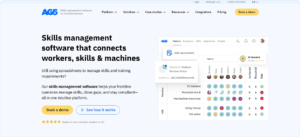
AG5 answers the operational workforce planning question before every shift starts: is this team qualified? It delivers a real-time skills matrix by role, team, and site. Automated certification expiry alerts at 90/60/30 days. Immutable audit trail for ISO 9001, IATF 16949, AS9100, and OSHA compliance. Expert Finder instantly identifies who is qualified for a specific task. Bidirectional integration with SAP, Workday, Cornerstone, and Moodle. Pricing from $825/month. Customers include Tata Steel, KLM Cargo, JDE Coffee, Toyota Boshoku, Adient, and Canpack.
I built AG5 because the tools serving the strategic side of workforce planning are genuinely good, and the tools serving the operational side didn’t exist. Operations managers were managing qualification readiness in spreadsheets they didn’t trust, failing audits over records three months out of date, and spending weeks preparing data that should take minutes.
— Rick van Echtelt, Co-Founder & CEO, AG5
Category 2: Strategic workforce planning & Headcount forecasting
For CHROs and finance teams modeling long-range headcount needs, scenario planning, and skills forecasting at the organizational level.
2. Workday adaptive planning
Best for: Enterprise strategic workforce planning integrated with Workday HCM
Industries: Large enterprises already on Workday HCM needing headcount modeling and workforce scenario analysis
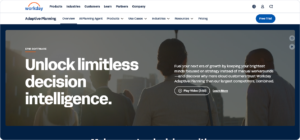
Workday Adaptive Planning brings together workforce forecasting, scenario modeling, and financial planning in a single platform. Its strength is integration depth within the Workday ecosystem. The limitation: it’s built for the strategic layer, not the operational one. Shift-level qualification management is not in scope.
3. Anaplan
Best for: Complex multi-scenario workforce modeling in large enterprises
Industries: Enterprises needing to model workforce scenarios across geography, function, skills, and cost simultaneously
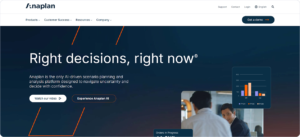
Anaplan’s connected planning architecture handles scenarios that spreadsheets cannot. What if we restructure this division and upskill 200 operators over 18 months? Requires significant implementation investment. Strong for complex, multi-dimensional planning environments.
Category 3: People analytics & workforce intelligence
4. Visier
Best for: Workforce analytics connecting people data to business performance
Industries: Large organizations wanting to move beyond HR reporting to workforce intelligence connecting talent decisions to revenue and retention outcomes
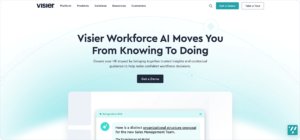
Visier is one of the most mature people analytics platforms available, connecting workforce decisions to productivity, attrition cost, and business outcomes. Skills gap analysis at the workforce level. Not built for operational qualification tracking. A strategic analytics layer, not an operational management system.
5. Crunchr
Best for: Connecting skills gaps to financial and operational impact
Industries: Organizations needing workforce analytics that bridges HR, finance, and operations
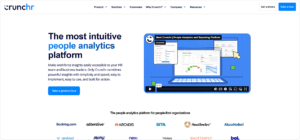
Crunchr is differentiated by cross-functional data integration, making the cost of skills gaps visible in business terms. Not just “we have a gap in this competency” but “this gap costs X in overtime and Y in quality incidents.” For organizations that need structured competency management tied to financial outcomes, Crunchr makes the business case visible. Strong for ROI-focused workforce development cases.
Category 4: HR workforce management platforms
6. ADP Workforce Now
Best for: Combined HR, payroll, and workforce management in mid-to-large organizations
Industries: Mid-to-large organizations wanting unified HR administration, payroll, time tracking, and basic workforce planning
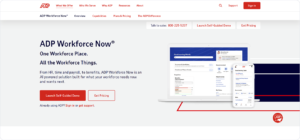
One of the most widely used HR platforms globally. Workforce planning capabilities focus on HR administration: headcount management, time and attendance, scheduling. Not a strategic modeling platform or an operational qualification tracking system. Primarily the HR infrastructure layer that organizations integrate with both.
7. SAP SuccessFactors
Best for: Enterprises requiring deep SAP ecosystem integration
Industries: Large enterprises already in the SAP ecosystem needing workforce planning integrated with finance, operations, and supply chain
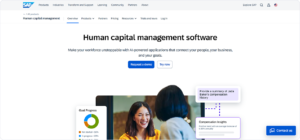
Solid for organizations where the primary driver is SAP integration. Skills management functionality has improved but remains general. For manufacturing organizations on SAP: the right architecture is SuccessFactors for HR data + AG5 for operational qualification tracking, integrated bidirectionally.
Category 5: Skills intelligence & talent marketplace platforms
8. Eightfold AI
Best for: AI-powered skills inference and internal talent mobility at scale
Industries: Large enterprises wanting AI to surface hidden skills and match talent to internal opportunities based on skills rather than job titles

Eightfold’s AI infers skills from job histories, projects, and learning activities, surfacing capabilities employees didn’t formally declare. Strong for strategic talent matching. The caveat: inferred skills are not assessed skills. For compliance-driven qualification tracking, it needs a validation layer underneath.
9. Beamery
Best for: Skills-based talent management connecting internal and external talent pools
Industries: Large organizations building skills-based talent strategies spanning internal mobility, external hiring, and workforce development
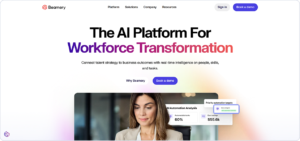
Beamery’s Talent Lifecycle Management addresses workforce planning from the skills-based organization angle. Strong for organizations with significant hiring volume and complex internal mobility needs. Less suited to operational compliance and qualification tracking.
Category 6: Starting point for smaller organizations
10. Excel / Google Sheets + Skills Matrix Template
Best for: Structured starting point with limited budget
Industries: Organizations under 50 employees, or teams building workforce planning capability from scratch
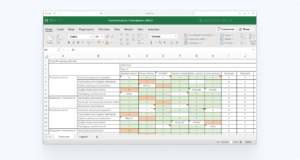
Being direct: Excel is where most workforce planning starts, and for small teams it’s adequate. The inflection point is 50 to 75 employees managing certifications with different expiry dates. At that point, maintenance cost of a spreadsheet exceeds the cost of software. AG5 offers free skills matrix templates at ag5.com/free-skills-matrix-templates/, a structured starting point.
How to choose the right workforce planning toolCopied
The single most important question: are you primarily solving a strategic problem or an operational problem?
| If your primary challenge is… | Look at… |
|---|---|
| Headcount forecasting and scenario modeling | Workday Adaptive Planning, Anaplan |
| Skills gap analysis at the organizational level | Visier, Crunchr |
| Connecting workforce data to business performance | Crunchr, Visier |
| HR administration and payroll integration | ADP Workforce Now, SAP SuccessFactors |
| Internal talent mobility and skills matching | Eightfold, Beamery |
| Real-time qualification tracking and compliance | AG5 |
| Starting small with limited budget | Excel + AG5 free templates |
The mistake most organizations make is choosing a strategic platform when their most urgent problem is operational. A CHRO implementing Workday Adaptive Planning will not solve the problem of a shift supervisor who doesn’t know whether their team is qualified to run Line 3 tonight.
Strategic vs. Operational workforce planning: A comparisonCopied
| Dimension | Strategic workforce planning | Operational workforce planning |
|---|---|---|
| Time horizon | 12 to 36 months | Daily to 3 months |
| Primary question | What skills will we need? | Who is qualified for tonight’s shift? |
| Primary user | CHRO, finance, HR business partners | Operations managers, shift supervisors, training coordinators |
| Typical tool | Workday, Anaplan, Visier | AG5 |
| Update frequency | Monthly or quarterly | Real-time, continuous |
Solve the operational workforce planning problem that strategic tools ignoreCopied
AG5 gives operational teams real-time qualification visibility before every shift, integrated with the HRIS and LMS you already use. Most teams go live within weeks.
Book a free demo at ag5.com to see how it works for your team, or download free workforce planning templates at ag5.com to get started today.
FAQs Copied
-
What are workforce planning tools?
-
What is the difference between workforce planning software and workforce management software?
-
What is strategic workforce planning?
-
What is the difference between workforce planning and capacity planning?
-
What is labor planning?
-
How do workforce planning tools integrate with existing HR systems?
-
What size organization needs workforce planning software?
-
How does AG5 fit into a workforce planning technology stack?
Author Copied

Revisions Copied
Written by: Rick van Echtelt
Copy edited by: Adam Kohut